PLANS AND PRICES
That fit your needs and budget

MAXON ONE

Includes:
– Cinema 4D
– Red Giant
-Redshift
-Universe
-ZBrush   
 Billed annually
Buy now

CINEMA 4D

Includes:
– Cinema 4D
– Team Render
-Cineversity
  
 
 Billed annually
Buy now

REDSHIFT

Includes:
– All Integration Plugins: Cinema 4D, Maya, 3ds Max, Houdini, Katana, Blender
– Multiple Instances of up to 8 GPUs+ on a Single Computer  
 
 
 Billed annually
Buy now

RED GIANT

Includes:
– Trapcode
– Magic Bullet
-VFX
-Universe
 
 Billed annually
Buy now

UNIVERSE

Includes:
– Style your footage
– Motion Graphics
-Transitions and Effects
-Text Generators  
 Billed annually
Buy now

ZBRUSH

Includes:
– Digital Sculpture and Painting
– Winner of the Scientific and Technical Academy Award
-Created by Artists, for Artists
-World-Class Rendering
 Billed annually
Buy now

Enjoy your 14-day free trial and subscribe anytime.

Get all Maxon products at a low price.

See more

What is Maxon One?

Maxon One is a comprehensive 3D software suite for artists and creators. It offers industry-leading tools for 3D animation, motion graphics, filmmaking, sculpting, rendering, and more. The suite includes all of our 2D and 3D software and tools, such as Cinema 4D, Redshift, ZBrush, Red Giant, Universe, and Forger.

Computer-aided 3D animation, modeling, simulation and rendering software

SEE MORE

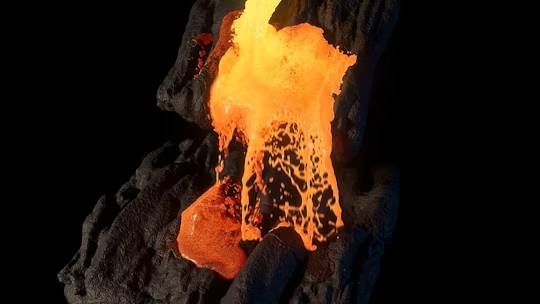
Cinema 4D 2025.3 introduces powerful new fluid simulations designed to take your motion graphics, product shots, and VFX to the next level. Seamlessly integrated into our Unified Simulation System, the same forces, modifiers, and conditions you know and love from particle simulations can now be used to artistically direct your fluids with ease.

Easily fill any object with fluid using the dedicated Liquid Fill Emitter, or convert any particle into a fluid with the new Liquify Modifier.

Fluid simulation

Create fluid simulations natively in Cinema 4D with fluids that interact with other simulation types, such as rigid bodies, soft bodies, and fabrics. Simulate different types of fluids like water, honey, lava, and more by defining viscosity, surface tension, and other parameters.


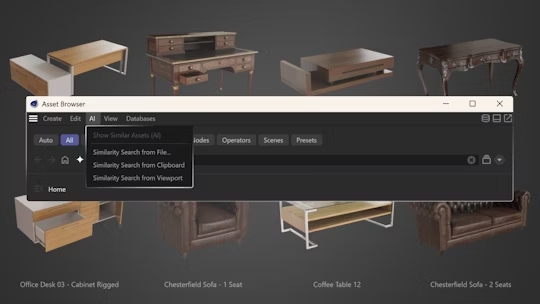
AI Search

Cinema 4D’s new AI search makes finding capsules, assets, textures, and presets effortless. The AI ​​runs entirely on your local machine, delivering faster, more accurate results for your search terms.

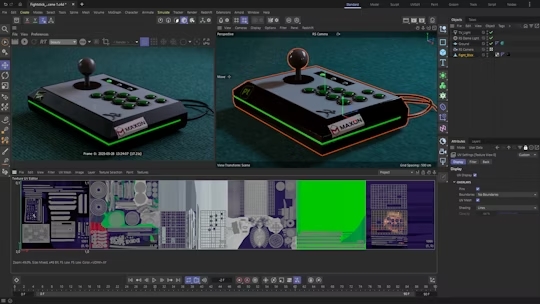
UDIMs

Cinema 4D now offers support for UDIM workflows, allowing you to assign multi-resolution textures to your models and create assets that work seamlessly in industry-standard pipelines.

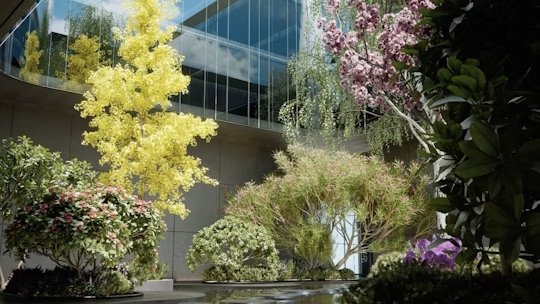
Laubwerk plants

Laubwerk’s extensive library of high-quality plants is now integrated into the Cinema 4D resource browser with quick access to plant resources as well as age and season variants.

The world’s first fully GPU-accelerated, skewed rendering engine.

SEE MORE

GPU ACCELERATED

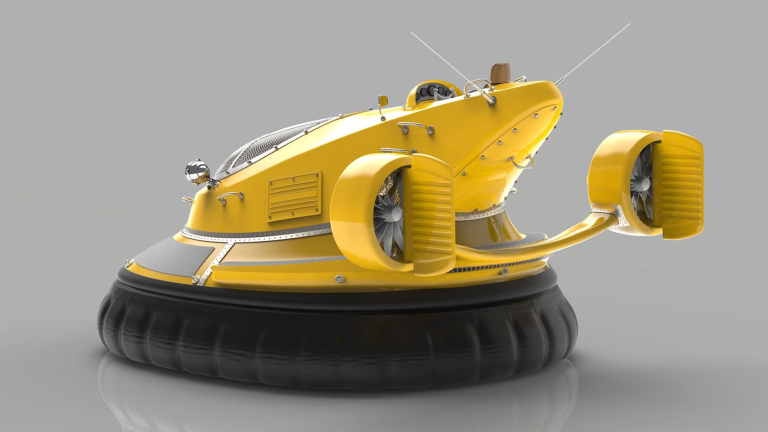
Redshift is a powerful GPU-accelerated renderer, built to meet the specific demands of today’s high-end production rendering. Designed to support creative individuals and studios of all sizes, Redshift offers a powerful feature set and integrates with industry-standard CG applications.

KEY PRODUCTION POWER

Redshift has the uncompromising features and quality of a CPU renderer, but at GPU processing speeds. Unlike other GPU renderers, Redshift is a biased renderer that allows the user to fine-tune the quality of individual techniques to achieve the best balance between performance and quality for their production.

PHOTOREALISM

Redshift’s out-of-the-box functionality provides the essentials for delivering photorealistic results, and its interactive RenderView preview area makes it incredibly easy to adjust settings and get immediate results. In fact, artists can make adjustments in near real-time.

Get all of our Red Giant Tools for motion graphics and movie making.

SEE MORE

What's New?

Expanded Support for DaVinci Resolve

Red Giant’s July release continues to bring new creative potential to editors with the addition of two powerful new tools to DaVinci Resolve that will elevate your creative workflow: Shine and Starglow.

And the new Maxon Studio Creator Page lets you design and share your motion graphics templates. This way, artists can easily create custom motion graphics that perfectly align with their brand’s style guide.

Unlock the potential of Red Giant

Explore Red Giant's features to transform your creative projects.
Text
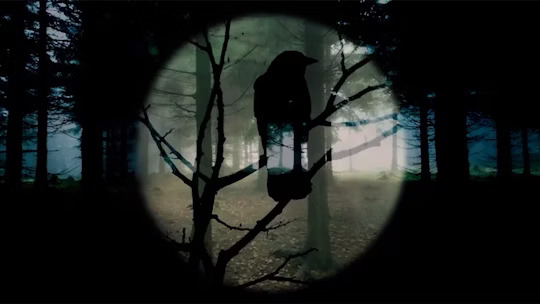
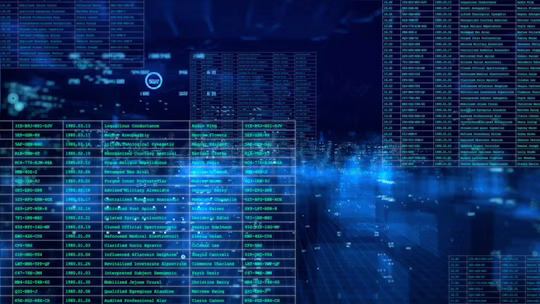
Add stunning typographic animations to your footage, from hacker-style text on computer terminals to scrolling code, dynamic titles, and letter reveals.

Utilities

Tools for adding manual camera movement, correcting fisheye lens distortion, combining layers, picture-in-picture compositing, and more

VFX

Fast and powerful tools for keying, tracking, cleaning, and compositing visual effects.

Motion Graphics

Tools for creating animated shapes and lines, layer cloning, dynamic backgrounds, progress bars, and more.

Transitions

Instantly create seamless transitions using effects like 3D transitions, bokeh, camera motion, radial wipes, color mosaics, glitches, and much more!

Particles and 3D

Particle simulations and 3D effects for motion graphics and visual effects.

Blurs and Highlights

Fast and beautiful lens highlights, blurs, and bokeh effects.

Color

Complete kit for color grading, appearance development, film emulation and finishing.

Distortions

Powerful tools for creating heat effects, lens distortion, blur, and RGB separation.

Stylize

Vintage effects, glitches, and other varied creative effects that will transform your footage with a retro and modern look.

Generators

Dynamic and customizable backgrounds and noise patterns for your motion graphics.

Video effects and transition plugin for editors and motion graphics artists.

SEE MORE

What's New?

Bring your projects to life with our new set of six pixel art and pixel dithering plugins! Ideal for video editors, motion designers, and compositors, these tools make creating pixel art easy, using advanced dithering effects that capture the essence of retro games and animation.

Footage Stylization

Transform raw footage into a refined look. Give your videos a unique touch with authentic, retro, or modern styles. Create an atmosphere that evokes emotions in your audience.

Motion Graphics Creation

Design visually stunning backgrounds and looping animations for games, trailers, or video content. Make a lasting impression on your audience with visually impactful graphics

Text Effects Design

Create dynamic and engaging text animations for titles, credits, and other on-screen elements. Bring text to life that perfectly matches the style and tone of your video.

Creating Transitions and Effects

Easily create unique and fast transitions and effects that add visual interest. Ensure your storytelling flows smoothly from the first rough cut to the pre-cut and final cut. Keep your audience captivated with a compelling story.

The industry standard for digital sculpting and painting

SEE MORE

BORN FROM CLAY

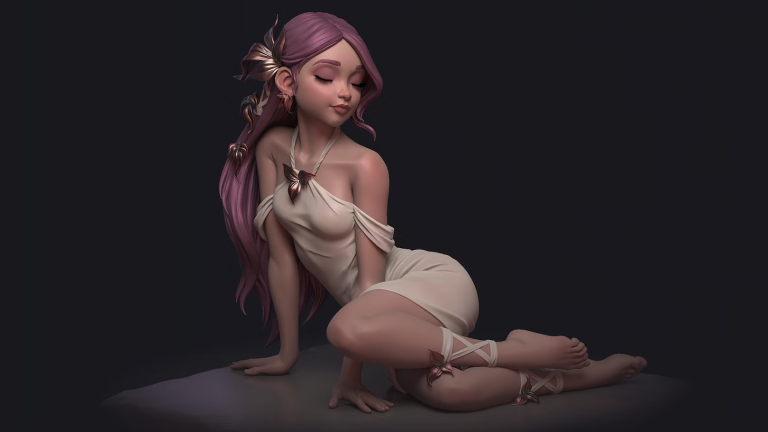
ZBrush sets the industry standard for digital sculpting and painting. Its features allow you to use customizable brushes to shape, texture, and paint virtual clay in a real-time environment that provides instant feedback. When you use ZBrush, you have the same tools used by film studios, game developers, toy/collectible makers, jewelry designers, automotive/aviation designers, illustrators, advertisers, scientists, and other artists around the world. In fact, we’ve even received an Academy Award for the technology that powers ZBrush.

DIGITAL SCULPTING

Empower yourself with the world’s leading digital sculpting solution. The powerful systems within ZBrush are designed to remove the limitations of traditional modeling and allow you to create freely, just as you would with clay.

When you’re ready to move your 3D sculpture into a pipeline for animation, rendering, or 3D printing, the tools to do so are readily available.

PAINTING AND TEXTURING

Because ZBrush works with tens of millions of polygons in real time, you can paint directly onto the model’s surface without first assigning a texture map or UV map. This offers significant advantages over a standard workflow. There’s no need to decide on the texture map resolution beforehand. You have the freedom to visualize, explore, and create textures in 3D and in real time.

READY, SETTINGS, RENDER

Whether you’re using ZBrush on its own as an illustration tool or as part of a production pipeline for animation, at some point you’ll want to show your work to others. ZBrush makes this possible using Redshift, as well as a powerful rendering system called BPR (Best Preview Render).

TOOL PIPELINE

ZBrush’s intuitive approach doesn’t end with sculpting and painting. Interoperability is at your fingertips, with support for key file formats and real-time integration with several popular software packages.